Customer Billing
The billing module stores all related billing information for each customer and enables easy and accurate billing procedures.
RangerMSP supports the following business processes:
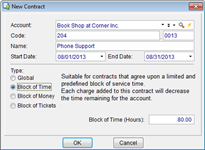
Computer Service Contract Management
(click to enlarge)
- Maintain and access maintenance contract information.
- Record time spent by telephone helpdesk resolving support issues.
- Record time spent by field service technicians.
- Record parts installed in customer site.
- Record various other expenses associated with customers.
- Manage Block of Time, Block of Tickets and Block of Money Service Contracts.
Billable Items
(click to enlarge)
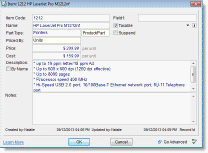
- Define ‘labor’ items (e.g. server installation, hard drive replacement).
- Define ‘expense’ items (e.g. travel expenses).
- Define ‘parts’ items (e.g. your entire parts inventory, all PCs, or sub-assemblies).
- Define different pricing methods for each item (e.g. a ‘server installation’ item can be priced according to a fixed price or according to the rate of the actual employee performing the job).
Custom Pricing per Account or Contract
- Set unique employee rates and Item prices for specific Accounts (customers) or Contracts. This means that you can even have different rates for the same customer depending on the service Contract in use.
- Custom Pricing that you set will be used automatically for every Charge logged for a specific Account or Contract so you never have to look at agreement terms again.
- Save time by defining global adjustments for employee rates or item prices.
- Define rate or price exceptions for specific employees or Items that will be used only when charging for them.
Custom Settings for Managed Services (MSP) Contracts
- Set which services are covered by the Contract and which should be billed separately (for Global Contracts).
- Set whether labor/expense/parts can be logged under the Contract.
Reports
(click to enlarge)
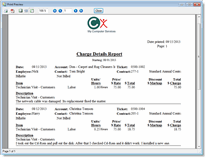
- Generate detailed financial reports for each customer.
- Generate aggregated financial reports for the entire customer base.
- Generate financial reports according to employees, calendar periods, and numerous other criteria.
- Import financial and other customer data into RangerMSP directly from QuickBooks or any other accounting package that exports to Excel.
Invoice and Sync Billing Information with QuickBooks™
- Sync Customer and Vendor information.
- Generate Invoices at the Customer, Service Contract or Support Incident (Ticket) levels.
- Learn More about the RangerMSP-QuickBooks Link.
Export Billing Information to Xero™
- Export Customer information.
- Export Invoices to Xero at the Customer, Service Contract or Support Incident (Ticket) levels.
- Learn More about the RangerMSP-Xero Link.
SageSync for RangerMSP
- Import all your charges from RangerMSP.
- Learn More about the SageSync for RangerMSP.