RangerMSP - QuickBooks Link
Run your computer services business more efficiently with our QuickBooks-compatible software designed to simplify routine business, accounting and financial management tasks.
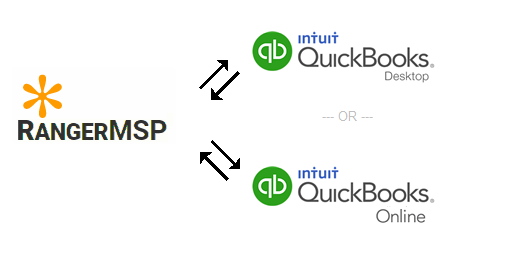
With the RangerMSP-QuickBooks Link, you only need to enter data once and it will appear in both RangerMSP and QuickBooks. This feature not only saves you the time of manually entering data, but it also minimizes the problems of duplicate, redundant and wrong data common to manual data entry. Now you can synchronize your data between RangerMSP and QuickBooks and ensure data accuracy, enhance your flexibility, and increase your control over your bottom line.
RangerMSP-QuickBooks Link features:
Customers
-
Import all your QuickBooks Customers into RangerMSP
-
Changes made to QuickBooks Customers can be synchronized with RangerMSP
-
Create a new Customer in QuickBooks based on a selected RangerMSP Account
-
Create links between existing RangerMSP Accounts and QuickBooks Customers to automate synchronization between them
-
Send and receive updates for selected Accounts/Customers
Vendors
- Import all your QuickBooks Vendors into RangerMSP
-
Changes made to QuickBooks Vendors can be synchronized with RangerMSP
-
Create a new Account in RangerMSP based on a selected QuickBooks Vendor
-
Create a new Vendor in QuickBooks based on a selected RangerMSP Account
-
Create links between existing RangerMSP Accounts and QuickBooks Vendors to automate synchronization between them
-
Send and receive updates for selected Accounts/Vendors
Items
-
Import any/all of the following QuickBooks Items into RangerMSP:
- Service Items => Labor Items in RangerMSP
- Inventory Parts => Products/Parts in RangerMSP
- Non-Inventory Parts => Products/Parts in RangerMSP
- Inventory Assembly Items => Products/Parts in RangerMSP
- Other Charge Items => Expenses in RangerMSP
-
Changes made to QuickBooks Items can be synchronized with RangerMSP
-
Create a new Item in RangerMSP based on a selected QuickBooks Item
-
Create a new Item in QuickBooks based on a selected RangerMSP Item
-
Create links between existing RangerMSP Items and QuickBooks Items to automate synchronization between them
-
Send and receive updates for selected Items
Invoices
- Generate QuickBooks invoices based on charges entered in RangerMSP
- Batch Invoicing – Save time by generating any number of QuickBooks invoices at once
- Generate invoices at different levels:
- Account – Invoices generated at the Account level may include any charges linked to this account, its contracts and tickets
- Contract – Generating an invoice at the Contract level may include only charges which are linked to this specific contract
- Ticket – Generating an invoice at the Ticket level may include only charges which are linked to this specific ticket
- See total unbilled pending charges according to Account, Contract and Ticket
- Select which charges to include in the invoice
- Create a QuickBooks invoice directly from the Account, Contract, or Ticket windows
- View all charges included in a QuickBooks invoice by filtering charges by the invoice reference value
Frequently Asked Questions
Which versions of QuickBooks are supported?
The following editions of QuickBooks Online are supported:
– Australia, Canada, United Kingdom, United States (requires RangerMSP 25.0.0.5 or above)
The following editions of QuickBooks Desktop are supported:
– US Pro, Premier, Enterprise 2008-2022
– UK Pro, Premier 2008-2022
– Canada Pro, Premier 2008-2022
– Australia Pro, Premier 2008-2013
– Reckon Accounts (formerly QuickBooks Australia) Pro, Premier, Enterprise 2014-2017
For detailed information about supported versions please click here.
Are Item prices updated in RangerMSP when running the Item update sync from QuickBooks?
Yes, Item prices are updated in RangerMSP so that all products/parts charges you enter will have the most up to date price.
Is it possible to create a Customer record in QuickBooks based on one of the Accounts in RangerMSP?
Yes, with one click a Customer record can be created in QuickBooks based on Account data in RangerMSP.
Can I select to import only Active QuickBooks customers into RangerMSP?
Yes. During the import/update process you can select the records for handling.
Can I use RangerMSP-QuickBooks Link from every PC on my local network?
Yes. RangerMSP-QuickBooks Link can be used from any PC on a LAN where RangerMSP and QuickBooks are installed.
After installing RangerMSP-QuickBooks Link, can I use RangerMSP on PCs where QuickBooks is not installed?
Yes, RangerMSP will continue to run normally on all PCs where QuickBooks is not installed. All RangerMSP users will be able to use Customer and Item data which has been synchronized from QuickBooks.
QuickBooks should be installed on PCs that will need to run the synchronization option.
What are the technologies involved in the RangerMSP-QuickBooks Link?
We use modern API technologies offered by QuickBooks and use a direct API level interface. This means no import/export of .iif files are required to move data in and out.
Can I use RangerMSP-QuickBooks Link with a trial version of QuickBooks?
No. It is designed to work with a registered version of QuickBooks.
Can I try it?
Yes. RangerMSP installation trial includes everything needed to test and use it. You may need to install some QuickBooks components if they have not already been installed.
Note: It is important to ensure that your version of QuickBooks is the most updated version available. Refer to your QuickBooks documentation for instructions on downloading and installing updates.